Module 5: Where to find your signals
Last updated: July 8, 2026
1. Slack / Microsoft Teams notifications
Your fastest alert. When a contact engages, you get an automatic notification showing who engaged, with what, and when.
Each team has their notifications configured differently across Slack and/or Microsoft channels, but here's a preview of what you'll see:
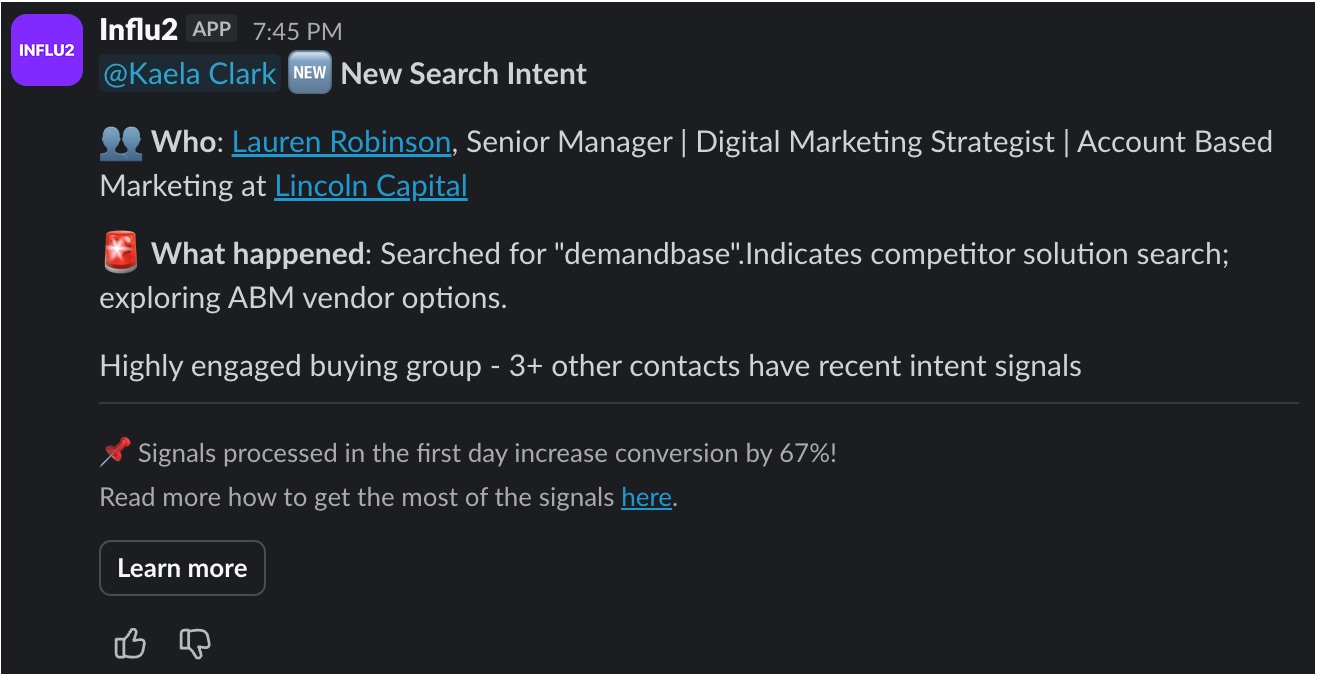
Each notification includes:
Who engaged: You'll see their name, title, and company
What it means: See a concise summary of the engagement and what it indicates about the target's interest so it’s easy to craft relevant outreach.
Buying group insights: If multiple members of the buying group have recently engaged, the signal will include additional context about this engagement.
Learn more: An easy and quick way to open the target report in Influ2 or in Salesforce (if connected)
2. Salesforce / HubSpot (within your CRM or MAP)
Signals sync directly into Salesforce or HubSpot so you can access them where you already work. You can work directly from the Influ2 signals feed and/or key metrics will map back to the contact or account records. You’ll see impressions, clicks, and engagement activity.

3. Signals Center (inside Influ2)
Signals Center is a live feed of all buyer signals across your accounts. It doesn’t just show raw data — it uses AI to generate a contextual summary explaining why a signal matters and what to do about it.
4. Email notifications
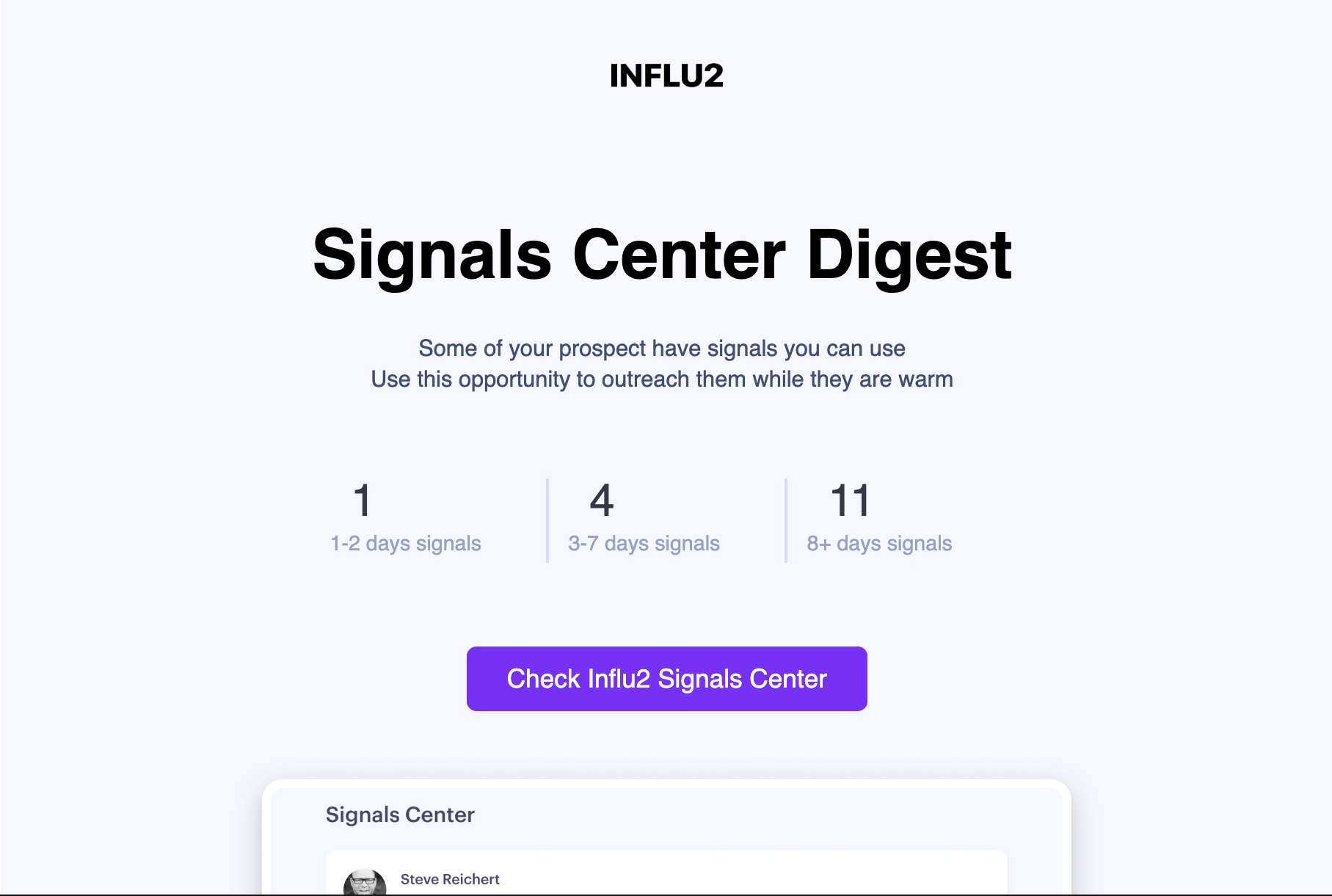
Daily email digests can be used as an extra tool to make sure nothing slips through the cracks.
What's Next
Continue to the next module to keep progressing through the Signal-Selling Playbook! Or, return to the previous module to review.
Next Module: The 24-hour rule
Back: The five signal types